
A crochet kit with video tutorial works only when the physical kit, printed guide and media are designed as one learning system. Video can clarify hand movement, but it cannot rescue missing yarn, inconsistent hook sizing, an untested pattern or a dead QR link. The seven decisions below help product teams decide what to film, what to print and how to keep both versions synchronized after launch.
Decision 1: What learner problem is video solving?
Begin with observed failure, not the assumption that video automatically adds value. Watch target users open the kit and attempt the first steps without coaching. Record where they pause, turn the work incorrectly, misread an abbreviation, lose stitch count or cannot identify the next insertion point.
Video is strongest when movement, timing or orientation is difficult to express in a still diagram. Printed instructions remain stronger for material lists, stitch counts, size references, warnings, quick scanning and use without a connection. The development brief should name the exact moments that need motion.
| Learner need | Best primary format | Why | Approval evidence |
|---|---|---|---|
| Check kit contents | Fast, persistent reference | Component count trial | |
| See hook insertion | Video | Movement and angle matter | User reproduces motion |
| Track row count | Easy to revisit repeatedly | Pattern verification | |
| Understand a turn | Video plus diagram | Motion and fixed landmark work together | Uncoached learner test |
| Review a warning | Print on pack or leaflet | Must remain available outside playback | Technical copy approval |
Decision 2: Which steps belong on paper, on screen or in both?
Create a responsibility matrix before writing scripts. Each learner action should have one authoritative technical source and a defined presentation in print, video or both. This avoids a common defect: the leaflet says to work 18 stitches while the presenter demonstrates 20.
Use the craft kit instruction workflow to stabilize the step sequence first. Then map each step to camera view, diagram, caption, on-screen count and material state. A beginner crochet kit supplier should be able to show how the media plan came from user testing rather than from a generic filming template.
Decision 3: How will the camera preserve hand orientation?
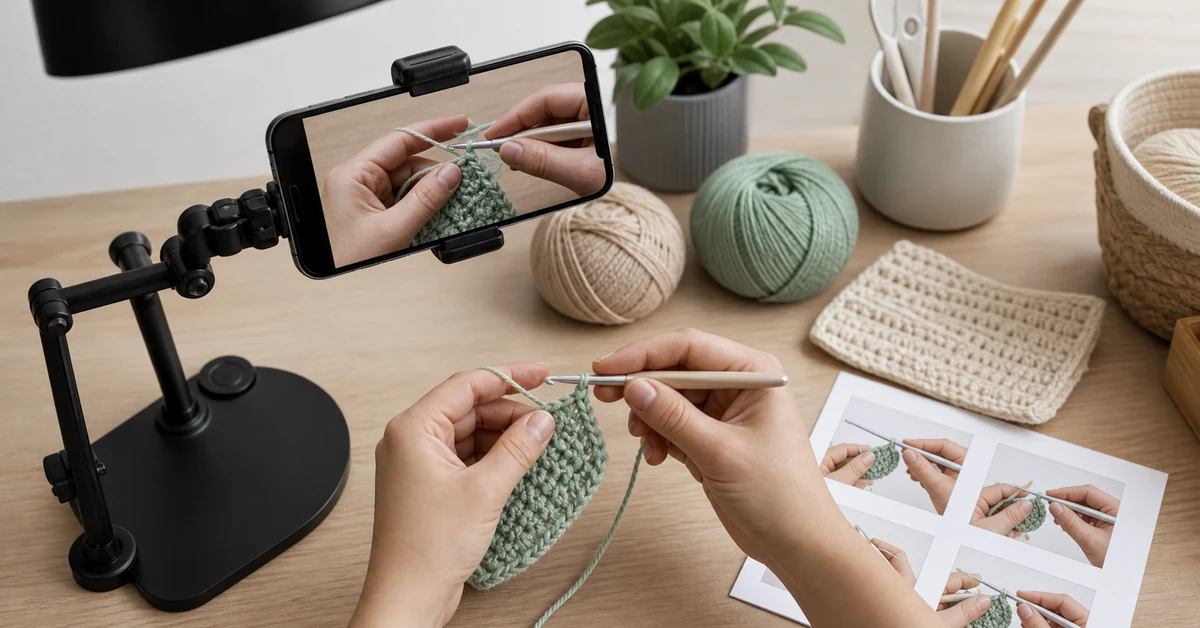
Crochet demonstrations fail when the camera changes sides, mirrors the action unexpectedly or hides the insertion point behind fingers. Choose one learner viewpoint and keep it consistent. If left-handed support is offered, record or deliberately transform a separate version and label it clearly; do not flip isolated shots without checking every directional cue.
- Show the complete hand position before moving to a close-up.
- Use yarn and background colors with enough contrast.
- Pause at the insertion point before pulling through.
- Display the stitch result from front and edge views when shape changes.
- Keep hook, yarn and sample identical to the approved kit.
- Record pickups later if a critical action is obscured.
Do not make the presenter work unnaturally slowly for the entire clip. Film at a clear pace, then use deliberate pauses, replay and close detail around the difficult motion.
Decision 4: Can the lesson be understood without sound?
Many customers watch craft videos with audio muted, in shared spaces or in a language different from the narration. Essential information should not depend on spoken explanation alone. Use concise captions, visible stitch landmarks and a downloadable or printed reference for counts.
The W3C Web Accessibility Initiative explains that captions provide synchronized text for speech and relevant non-speech audio information. It also notes that automatic captions require accuracy review. For a product tutorial, review terminology, abbreviations, numbers, speaker timing and line breaks against the approved technical script.
Accessibility is also practical customer service. Clear captions, restrained editing and readable contrast help beginners, multilingual users and people revisiting one step without replaying an entire chapter.
Decision 5: What does the QR code promise?
A QR code is not the content; it is a long-term routing commitment. Define who owns the destination, how long it will remain active, which markets can access it, what data is collected and what happens when the video is revised. Avoid printing a direct link to a temporary file or a staff member's personal channel.
| QR control | Release question | Failure if ignored |
|---|---|---|
| Stable redirect | Can the destination change without reprinting? | Obsolete link remains in retail stock |
| Version mapping | Does this pack revision open the matching lesson? | Counts or materials conflict |
| Regional access | Can target customers load the host? | Feature is unavailable after purchase |
| Privacy review | Are tracking and consent handled appropriately? | Unplanned data and policy exposure |
| Fallback | Can the project still be completed offline? | Physical product depends on a network |
Decision 6: How many language versions can the system maintain?
Separate technical meaning from presentation. Keep a master step list with stitch name, count, material state, camera cue, diagram reference and approved terminology. Translate from that master after the pattern is stable. If the project changes, update a controlled impact list rather than editing each language independently.
Voice-over, subtitles and separate videos have different costs. Subtitles may support more languages efficiently, while a narrated beginner lesson can feel easier to follow. The right choice depends on target markets, expected volume, customer support model and the likelihood of future revisions.
Do not translate abbreviations without checking local crochet convention. The same technique can be named differently across English-speaking markets, and a correct translation may still be commercially confusing if it conflicts with the printed pattern.
Decision 7: What evidence releases the media?
Approval should involve target-level users with the production-intent kit. Give them the printed guide and normal access to the video, then avoid live coaching. Track time to first stitch, replay points, incorrect actions, abandonment, questions and the final project's similarity to the approved outcome.
Use at least one user who has not seen the development process. Experienced designers unconsciously fill gaps. A useful release record includes device type, connection condition, handedness, prior skill, print revision, media revision and observed difficulties.
Build the physical kit around the lesson
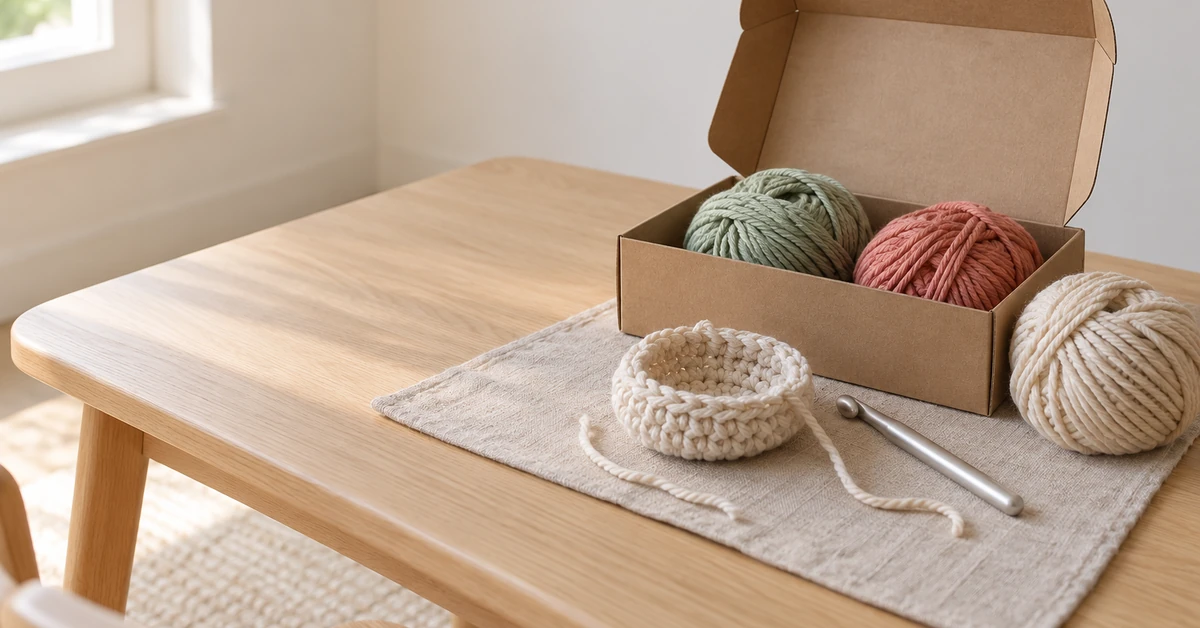
The media cannot be approved separately from yarn, hook, pattern and packing. Hook finish affects grip; yarn twist and color affect stitch visibility; starting loops and pre-counted parts can change the first lesson. Use the hook-size guide and yarn selection guide to define the physical variables before final filming.
Age claims, materials, tools and destination markets still determine the product's compliance route. The U.S. Consumer Product Safety Commission's Art and Craft Safety Guide provides useful material and labeling context, but the final assessment must address the actual SKU and intended user.
A crochet kit with yarn and hook needs those exact materials in the camera sample. Substituting a smoother yarn for filming may create a clearer image while giving the customer a different handling experience.
Choose chapters that match moments of use
One long video is convenient for the producer but inefficient for a learner who needs to revisit one action. Divide the lesson by task: kit setup, slip knot, foundation, core stitch, counting, shaping, assembly and finishing. Give each chapter a clear visual starting state so users know they are in the right place.
Keep promotional storytelling separate from technical instruction. A short overview can build confidence, but the working chapters should reach the action quickly. Avoid intros, music and repeated branding that make every replay slower.
Plan maintenance before retail stock is printed
Media has a lifecycle longer than the first production order. Define quarterly or scheduled link checks, named content ownership, correction priority and archive rules. Keep source video, caption files, thumbnails, scripts and translations in controlled storage.
- Critical correction: unsafe action, wrong material, wrong stitch count or inaccessible link.
- Major correction: confusing sequence, missing caption, incorrect chapter or poor visibility.
- Minor improvement: pacing, framing or wording that does not block completion.
When a critical correction is needed, assess stock already in warehouses and stores. A redirect can update the digital lesson, but printed counts or warnings may still require a physical remedy.
How Onehourcrafts coordinates the learning system
Onehourcrafts can help develop a crochet kit with video tutorial by aligning the pattern, yarn, hook, printed guide, filming sample, packaging and production revision. Buyers should specify target skill, markets, supported languages, hosting ownership, desired project time and the evidence required before media release.
For retail ready crochet kits, the front and back of pack should explain what is included, what skill is expected and whether digital access is optional or essential. Onehourcrafts states manufacturing experience since 1988, BSCI certification and OEM/ODM support; specific media rights, hosting terms and product approvals should be agreed for each program.
Frequently asked questions
Should video replace the printed pattern?
No. Print is a persistent reference for counts, materials, warnings and offline use. Video should clarify movement and orientation where it adds real value.
How long should each tutorial chapter be?
Use the shortest length that shows the complete action clearly. Organize by learner task rather than forcing every chapter to the same duration.
Do automatic captions need review?
Yes. Check craft terminology, counts, timing, speaker changes and non-speech information needed to understand the lesson.
Should left-handed users receive a separate video?
It can be useful, but the method must be technically checked. Do not mirror selected shots without confirming all directional instructions and captions.
What should happen if the QR link changes?
Use a stable redirect controlled by the responsible business so the destination can change without making printed stock obsolete.
Can the same video support several kit colors?
Only if materials, counts and visibility remain equivalent. The video should not name or show colors that conflict with the purchased version.
Who should own the video files?
Define ownership, permitted use, source-file access, hosting rights and post-contract availability in writing before filming.
How should user testing be run?
Give target-level users the production-intent kit and normal media access. Observe without coaching and record where they replay, pause, make errors or ask for help.
What belongs in the media approval record?
Record script revision, pattern revision, sample materials, captions, languages, destination links, devices tested, user findings and final approvers.
How often should links be checked?
Check before production release, before major shipments and on a scheduled basis while stock remains in the market.
Design one lesson, not three competing versions
The strongest crochet kit with video tutorial has one controlled technical truth expressed appropriately in print and motion. Decide what video solves, preserve orientation, caption the lesson, govern the QR destination and test the complete kit with real beginners. That turns a digital feature into a maintainable part of the product.